
Busselton City FC


Busselton City FC
For
season 2025, the senior teams will once again use Squadi for electronic
match cards, and for players and spectators to be able to view upcoming
fixtures, results and ladders.
And again, LNJSA will use Squadi for fixtures (and in the case of our FIFA teams), for results and ladders also.
To help you get setup with Squadi, please read on and follow our step by step screenshot tutorial.
If
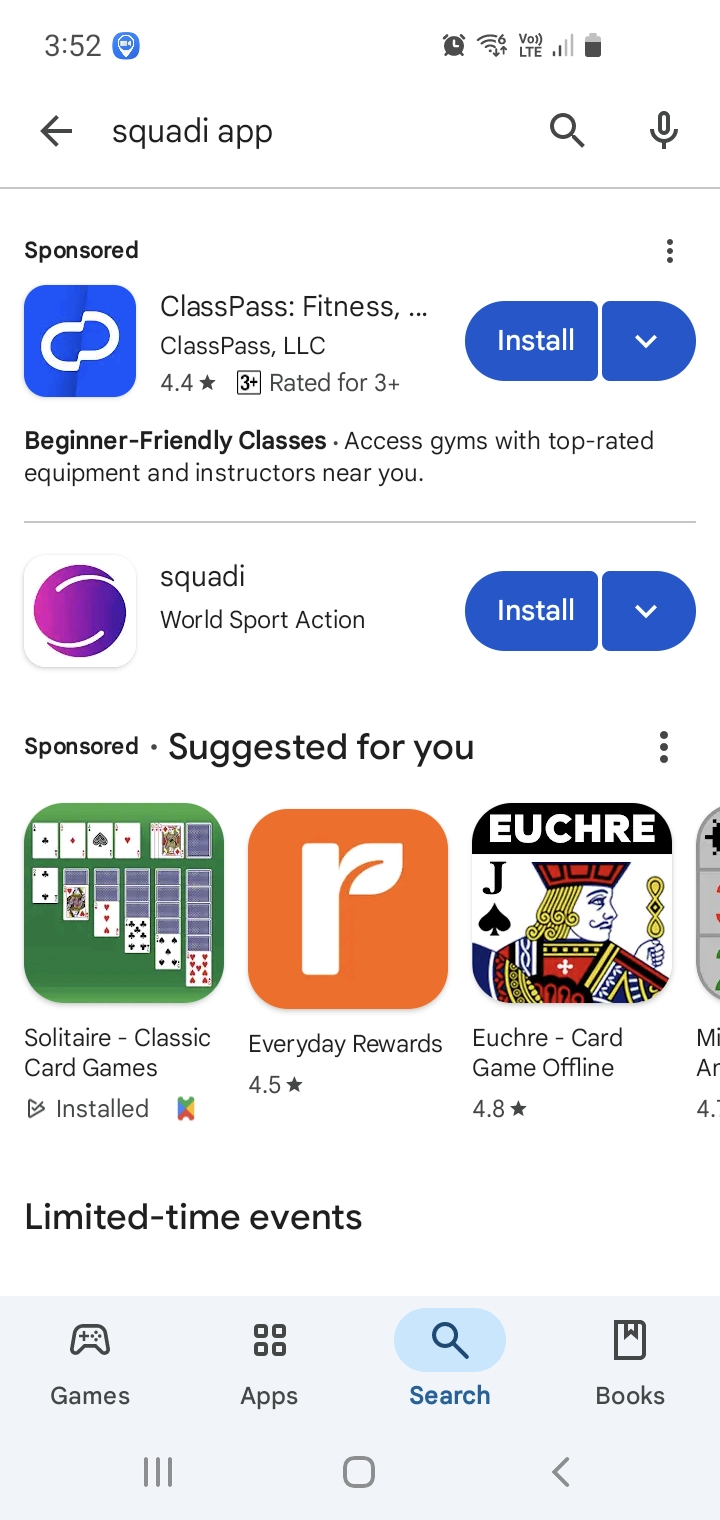
you don't already have the "Squadi" app installed on your phone, go to
the "Google Play Store" or the "Apple App Store" and search for
"squadi".
Once you've found it, click Install to download and install it on your phone.
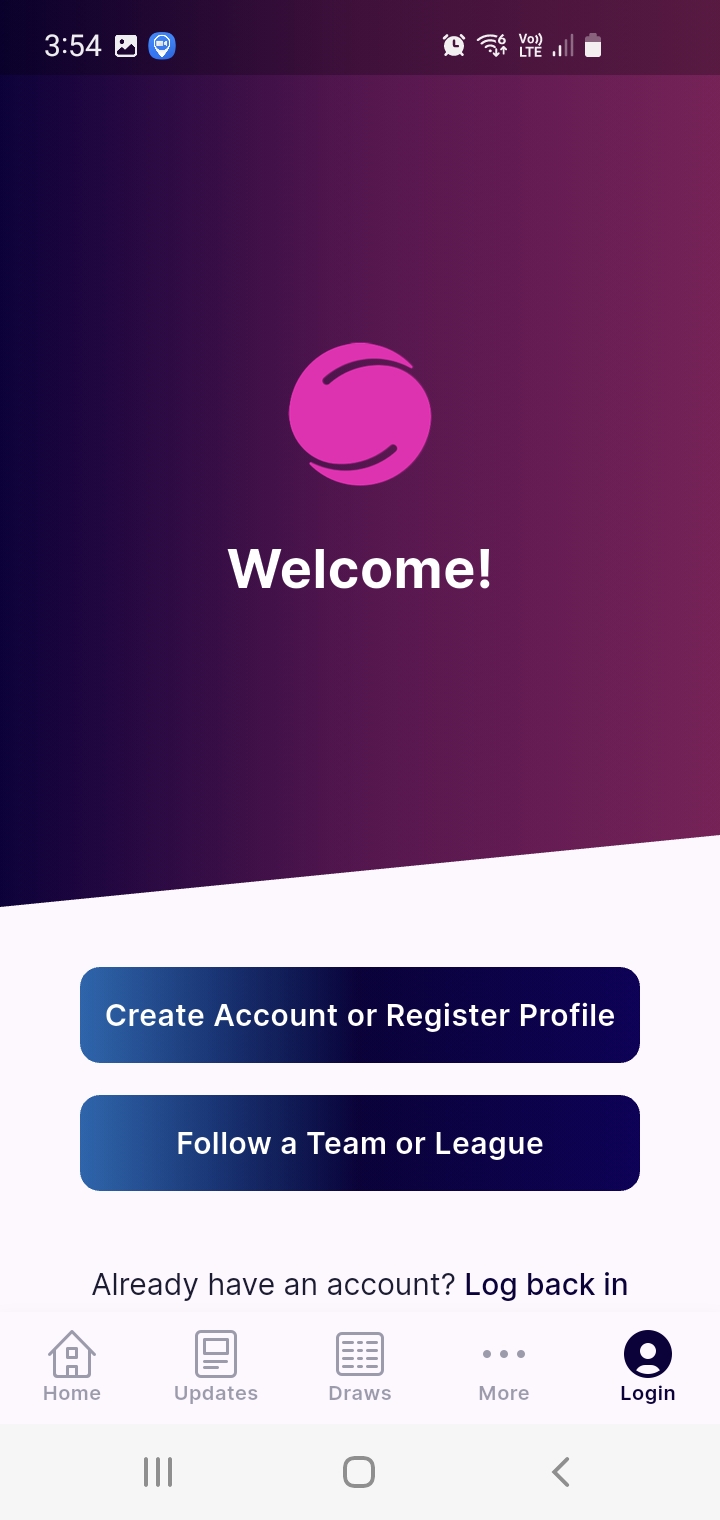
If you already have an account, click "Log back in", and enter your login details.
If you don't have an account, click "Create Account or Register Profile".
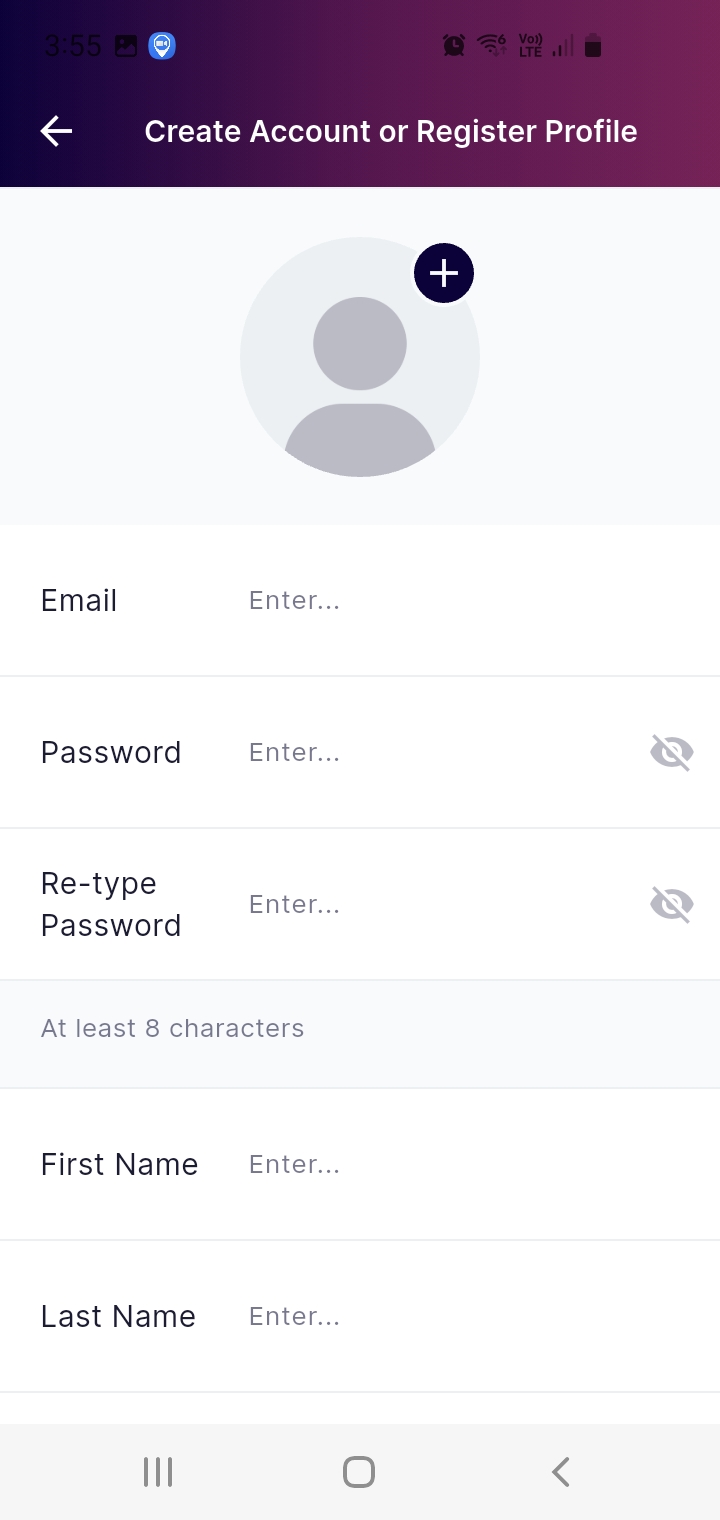
Enter the details as presented in the sign up screen. Email, password, name etc.
Scroll down to continue.

Continue to enter the requested details.
When searching for and choosing an organisation, search for "Busselton".
You'll see two matches. Choose the one shown in the screen shot to the
left. Do NOT choose the one with "(Juniors)" in the organisation name.
When you've entered all the details, click "Next".
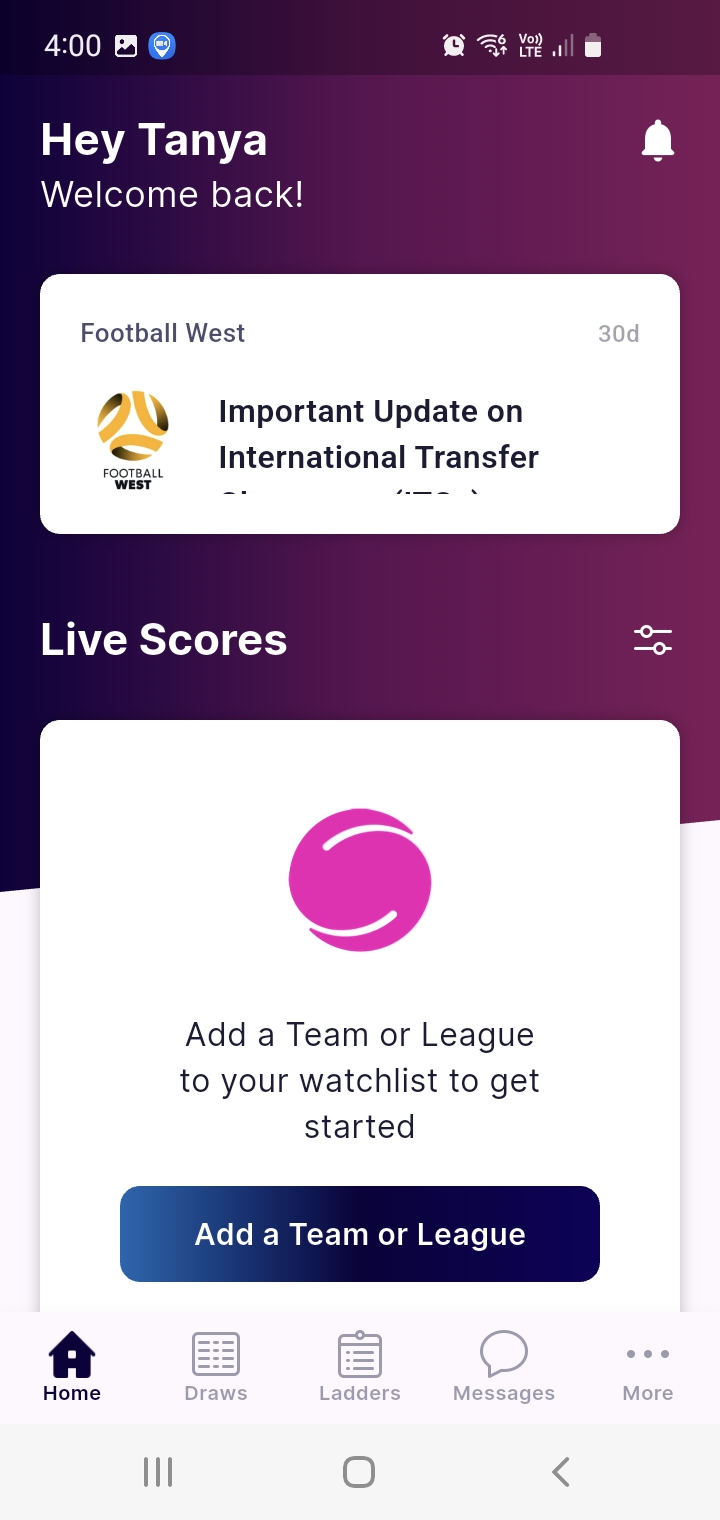
Your account is now created.
Next, you'll add the team or league you're interested in.
Miniroos teams need only add their team, as you'll only need to see your own teams fixtures.
FIFA age teams may want to add a league. This will allow you to see results of all the games within your league.
Click "Add a Team or League".
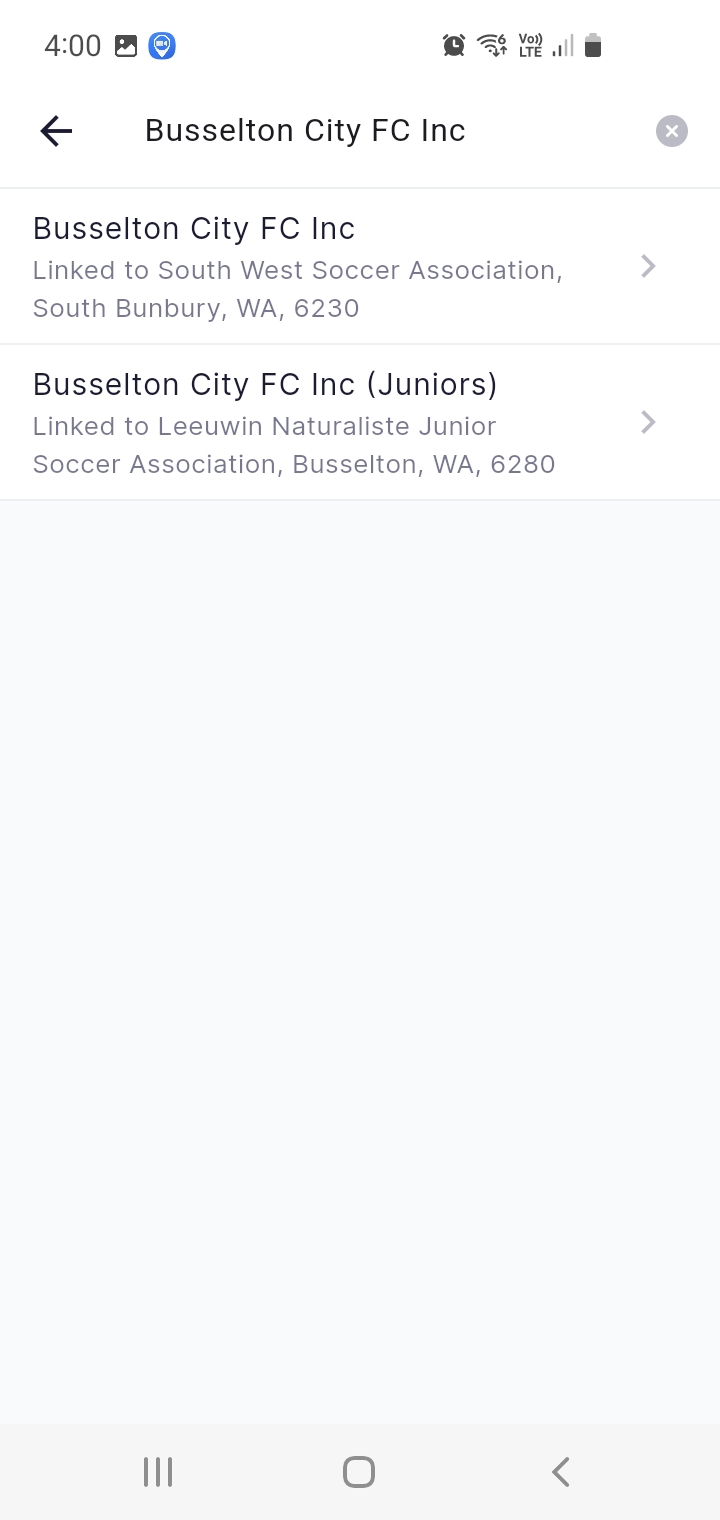
Click
into the search box which displays "Add a Team or League". The
screenshot to the left will display and will default to the organisation
you chose during your account setup.
Again, please don't choose the one with (Juniors) in it. No teams are within this organisation.
Click on "Busselton City FC Inc".
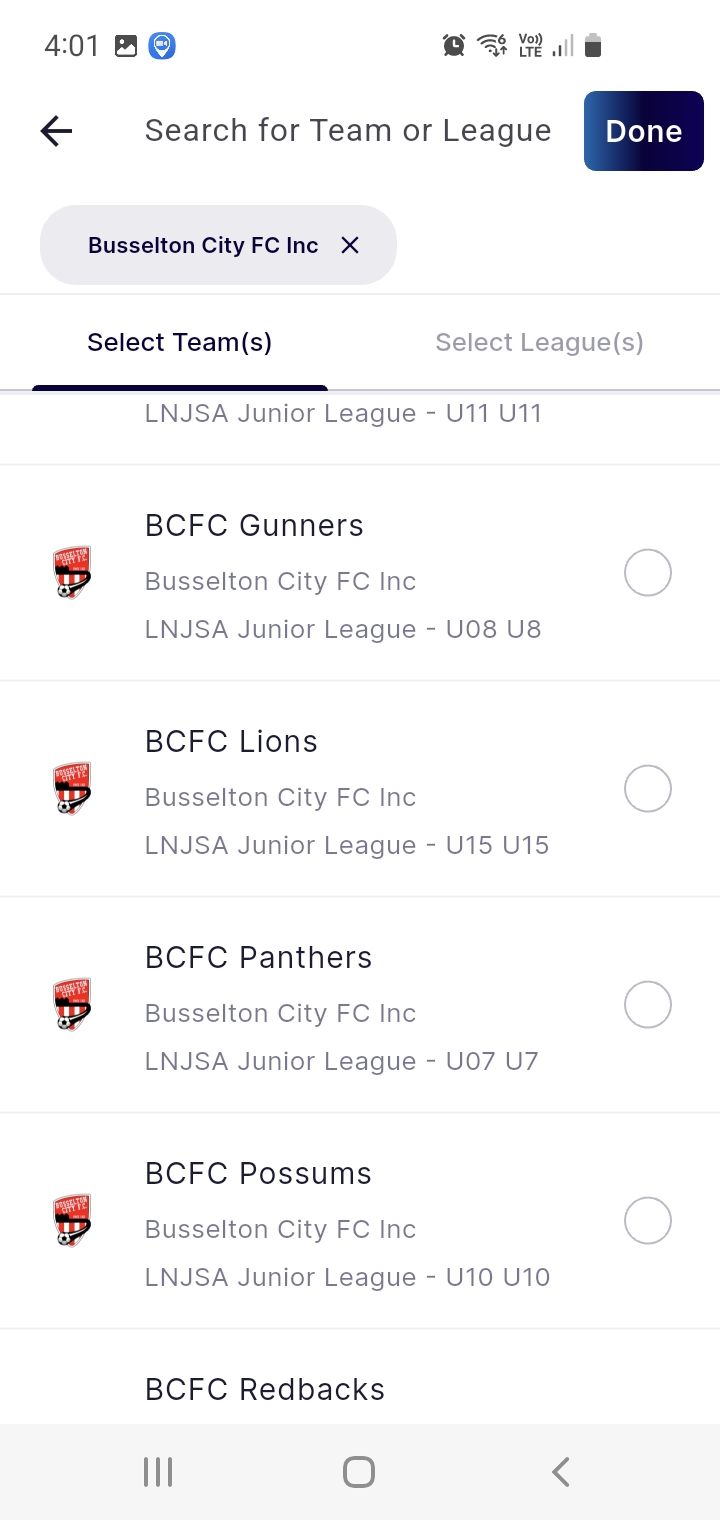
The next screen defaults to the "Select Team(s)" tab. Scroll if required to select the team you want, and click on it.
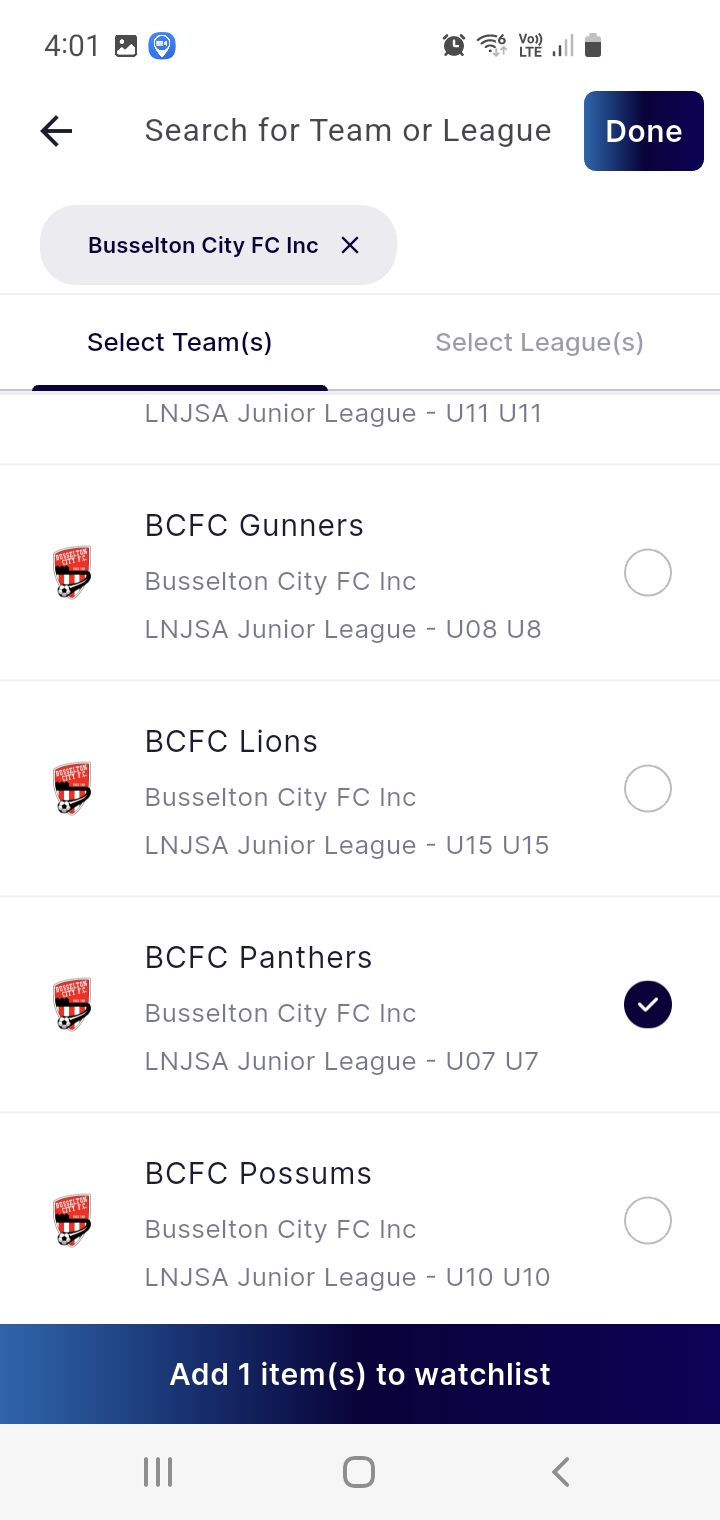
Now click the "Add 1 item(s) to watchlist" button.
This will add the team to your profile, so you can check fixtures for the team.
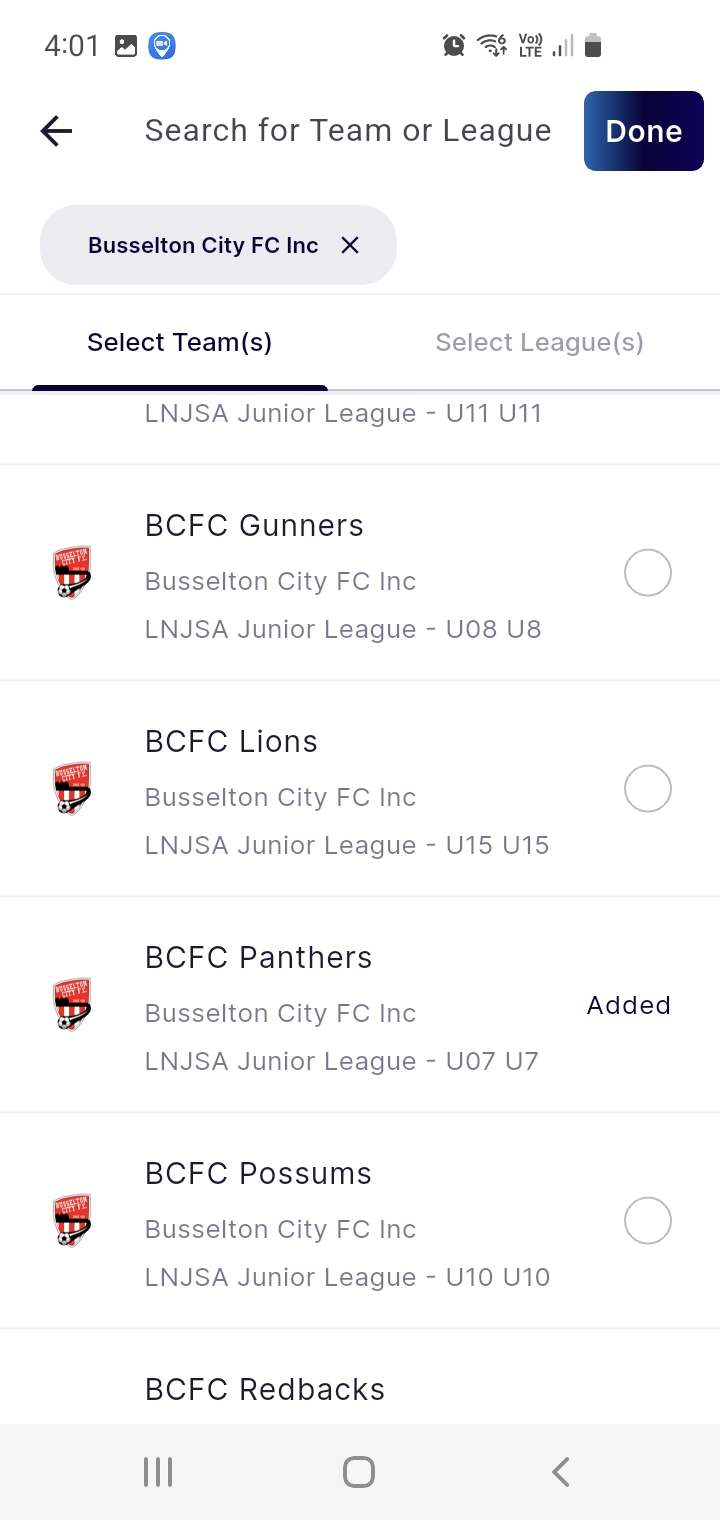
The team you chose is now added. You can repeat this if you want to add a second team. When you're finished, click "Done".
In the
same way you added a team, you can also add a league. You might want to
do this if the team you're interested in, is a FIFA age team, and they
have results and ladders.
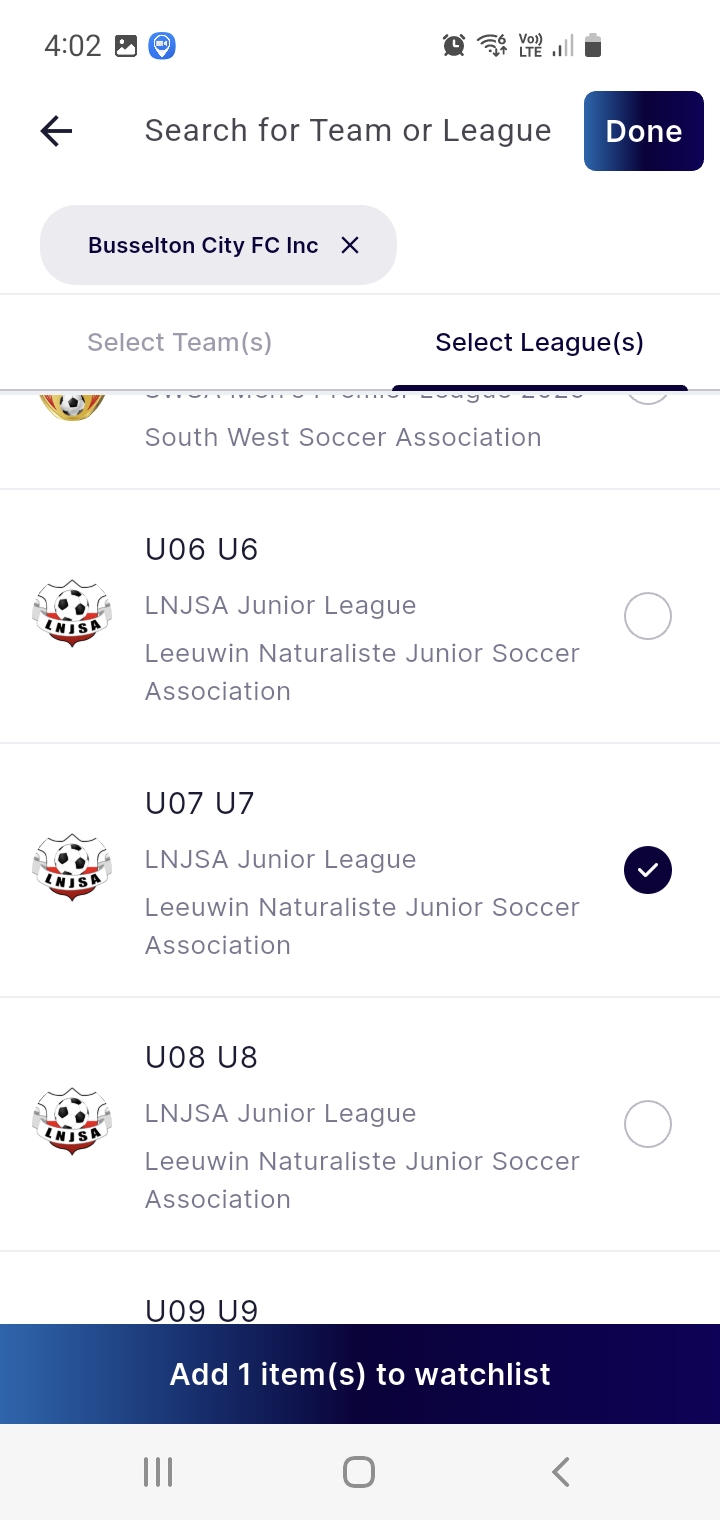
Click the "Select League(s)" tab and scroll until you see the league you want. Click on it to select.
And then click the "Add 1 item(s) to watchlist" button.
Then click "Done".

You're now taken back to your teams and leagues list. This will reflect what you've added to your watchlist.
In this example, we've added the miniroos 7s team, the Panthers, and we've also added the league that they play in.
Click "Done" to go back to the home screen.
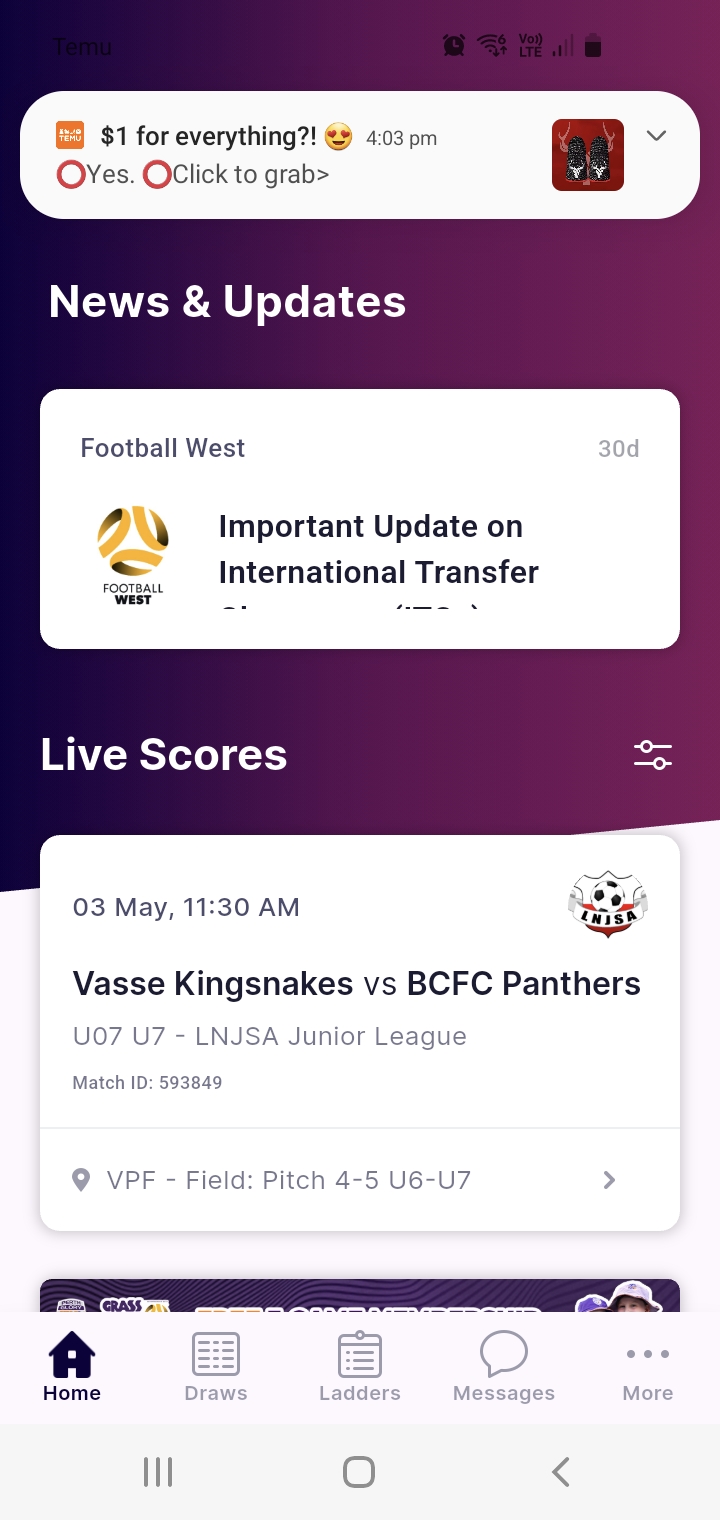
You've finished the setup. You have your account and you now have your teams and/or leagues chosen.
Shown here is the home screen, and this is the screen that first shows each time you open the app.
It will automatically show the next game to be played, with all the details you need.
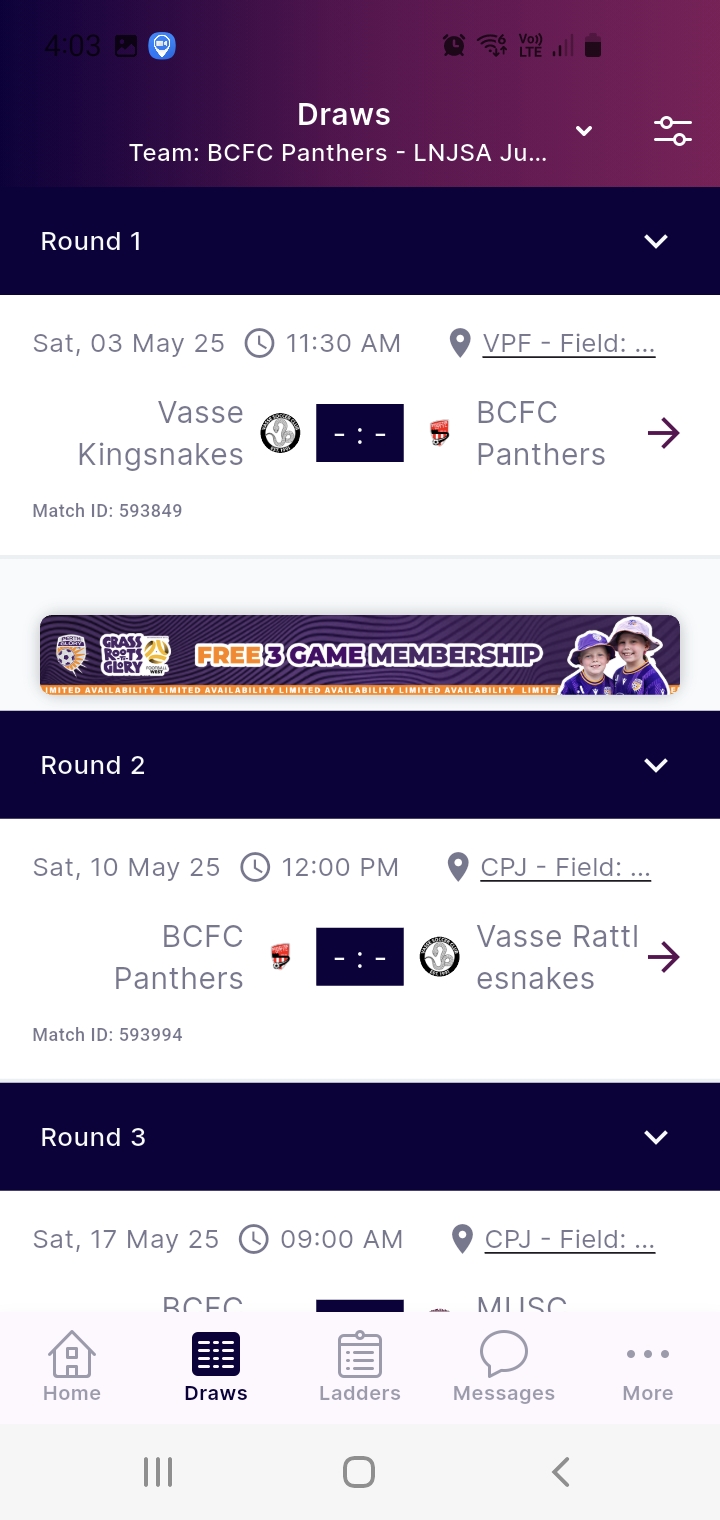
To see a list of your teams games, round by round, click the "Draws" icon at the bottom of the screen.
You'll see a similar list to the one that is shown here.

While on the "Draws" screen (and also if you're on the "Ladders" screen), you can switch between teams or leagues.
Do this by clicking the select button at the top right of the screen (circled in the screenshot here).
This will popup your watchlist items. Choose another team or league by clicking on it.
We're going to choose the "Division U07 U7 - LNJSA Junior League".
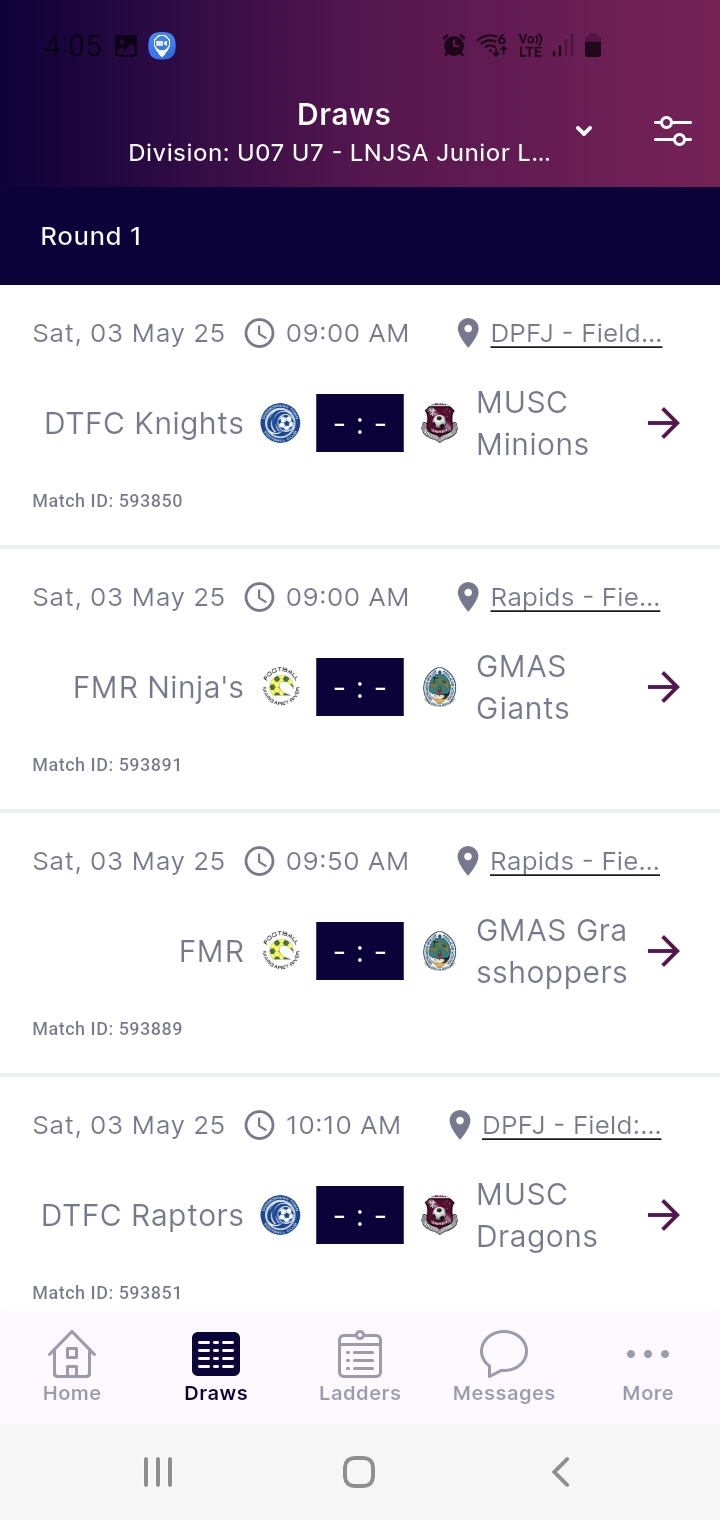
Now that we've chosen a league, we can see all the games being played within that league, round by round.
If this was a FIFA age league, we could also see the results for each game as well.
Next we're going to click on the "Ladders" icon at the bottom of the screen.

We're
now on the ladder screen for the league. For miniroos, this will won't
show any points, as there are no results and no ladders.
But for FIFA age leagues, you will see the ladder details, including points for the season.
If you have any issues, all Busselton City FC members can contact the club for help.